cronova
A lightweight, self-hosted Go workflow scheduler — an open-source Airflow / Azkaban alternative you can install with one command.


cronova schedules DAGs — tasks with dependencies, retries, catchup and pools — and ships as a static scheduler + executor with an embedded SQLite database. No JVM, no Python runtime, no external database, no message broker.
# Install the scheduler + web console + native service on Linux or macOS:
curl -fsSL https://raw.githubusercontent.com/zoyluoblue/cronova/main/deploy/bootstrap.sh | sudo bash
Start the Tutorial Quick start
-
Small native install, zero service dependencies
Pure-Go scheduler + executor, embedded database.
curl | bashto install,cronova updateto upgrade,cronova uninstallto remove. -
Airflow-style DAGs, in YAML
Dependencies, cron /
@everyschedules, cross-DAG triggers, catchup / backfill, retries & timeouts, resource pools, trigger rules. -
Polyglot tasks + project upload
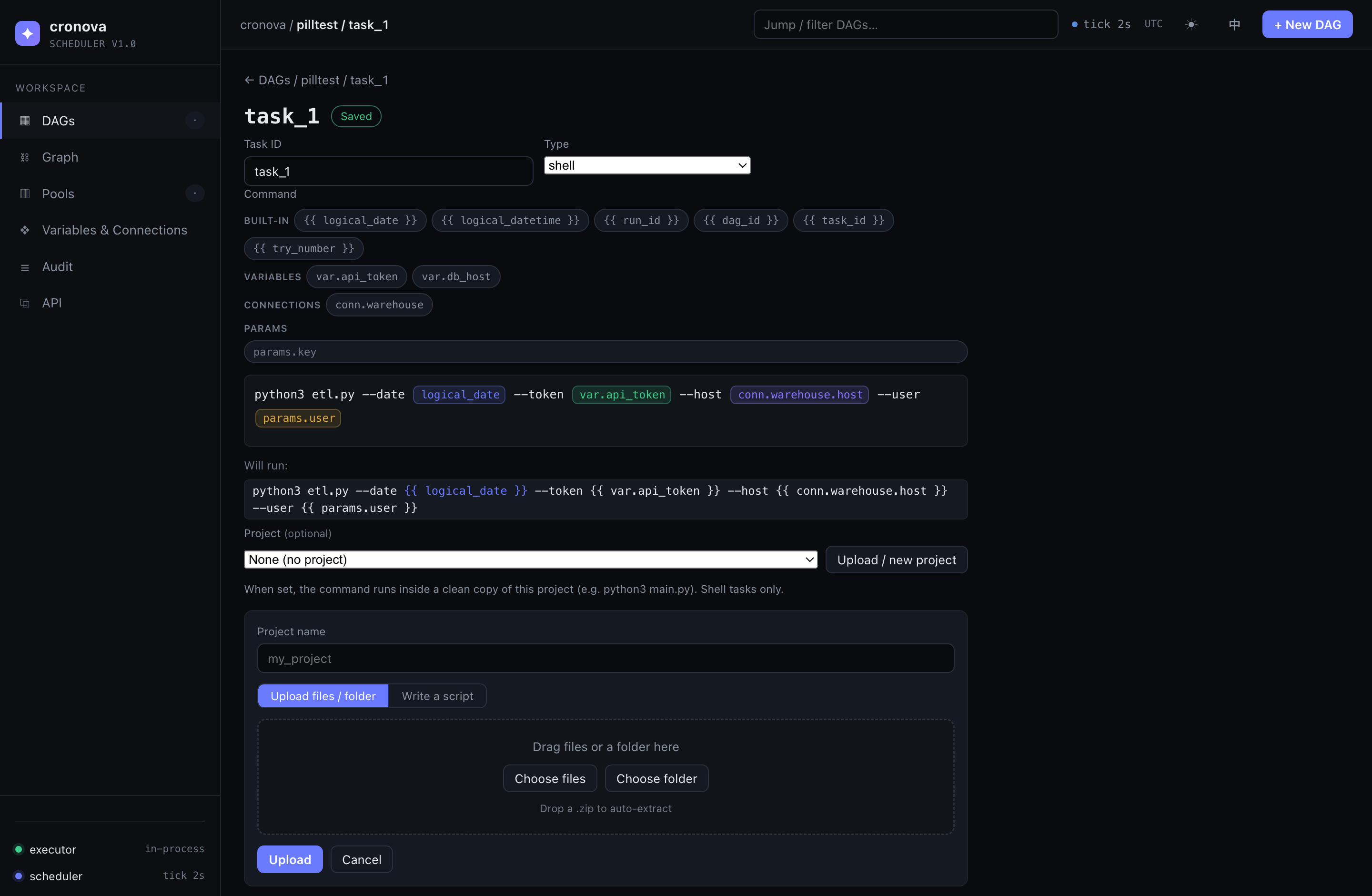
Tasks run as subprocesses — shell, Python, SQL, a JAR, or HTTP. Drag-and-drop a whole project folder and run it in an isolated copy.
-
AI-native (MCP built in)
A built-in Model Context Protocol server and a remote JSON CLI let AI agents manage workflows through the same token-authenticated API.
What is cronova?
cronova is an open-source, self-hosted workflow scheduler (job scheduler / task orchestrator / DAG scheduler) written in Go. It schedules DAGs on cron or interval triggers, runs each task as a subprocess with the host's own interpreters, and gives you a web console, a REST API, a CLI, and an MCP endpoint for AI agents. Think of it as a cron replacement with dependencies, retries, backfill and observability, or a lightweight Airflow alternative with a compact native footprint.
30 seconds to a running DAG
go build -o cronova ./cmd/cronova   # or grab a prebuilt release
./cronova serve                     # console at http://localhost:8090
./cronova trigger example_etl       # run a DAG now
./cronova runs example_etl          # watch task states
Learn more
- Tutorial — the step-by-step path: install → first DAG → scheduling → variables → projects → cross-DAG.
- Console guide — every page of the web UI: dashboard, DAG editor, visual task editor, runs & live logs, pools, variables, audit, API tokens.
- Quick start — the single-page fast path.
- Deployment — systemd / launchd services, updates, the crash-recoverable executor.
- Comparison — cronova vs. Airflow, Azkaban, Dagster, Prefect & cron.
- FAQ — common questions, answered.
- GitHub — source, releases, issues. ⭐ Stars welcome!